
Radial Timeline
Radial Timeline maps your manuscript in Obsidian. Explore scenes, subplots, story time, and revision progress in four timeline modes, and use Inquiry for AI-assisted analysis across a book or saga.

The full tour · Volume 14
YouTube Video Suite
Section titled “YouTube Video Suite”What It Does
Section titled “What It Does”Arrange scenes by act, subplot, and manuscript or chronological order. Hover for a synopsis and saved Pulse feedback; highlight a scene across its subplots to follow connected story threads.
The Timetable opens beside the timeline as a table, scene panels, or an outline: review scene properties, write sketches, drag notes into the book, promote notes to scenes, map subplots on a Canvas, and turn a Canvas straight into scenes. Manuscript export also publishes folders and standalone Markdown files.
The 4 Critical Timelines
Section titled “The 4 Critical Timelines”Radial Timeline™ captures and visualizes all 4 critical timelines:
- Narrative time: the sequence you reveal events to readers.
- Chronological time: when events happen in your story’s world.
- Author time: your scene writing progress with target due dates tracking Todo, Working, Complete and Overdue.
- Progress stages: manuscript revision stages from Zero draft through Press-ready.
Narrative and Chronologue use subplot colors to show story structure. Progress Mode gives each subplot its own ring and colors scenes by writing status and revision stage.
Visual Overview
Section titled “Visual Overview”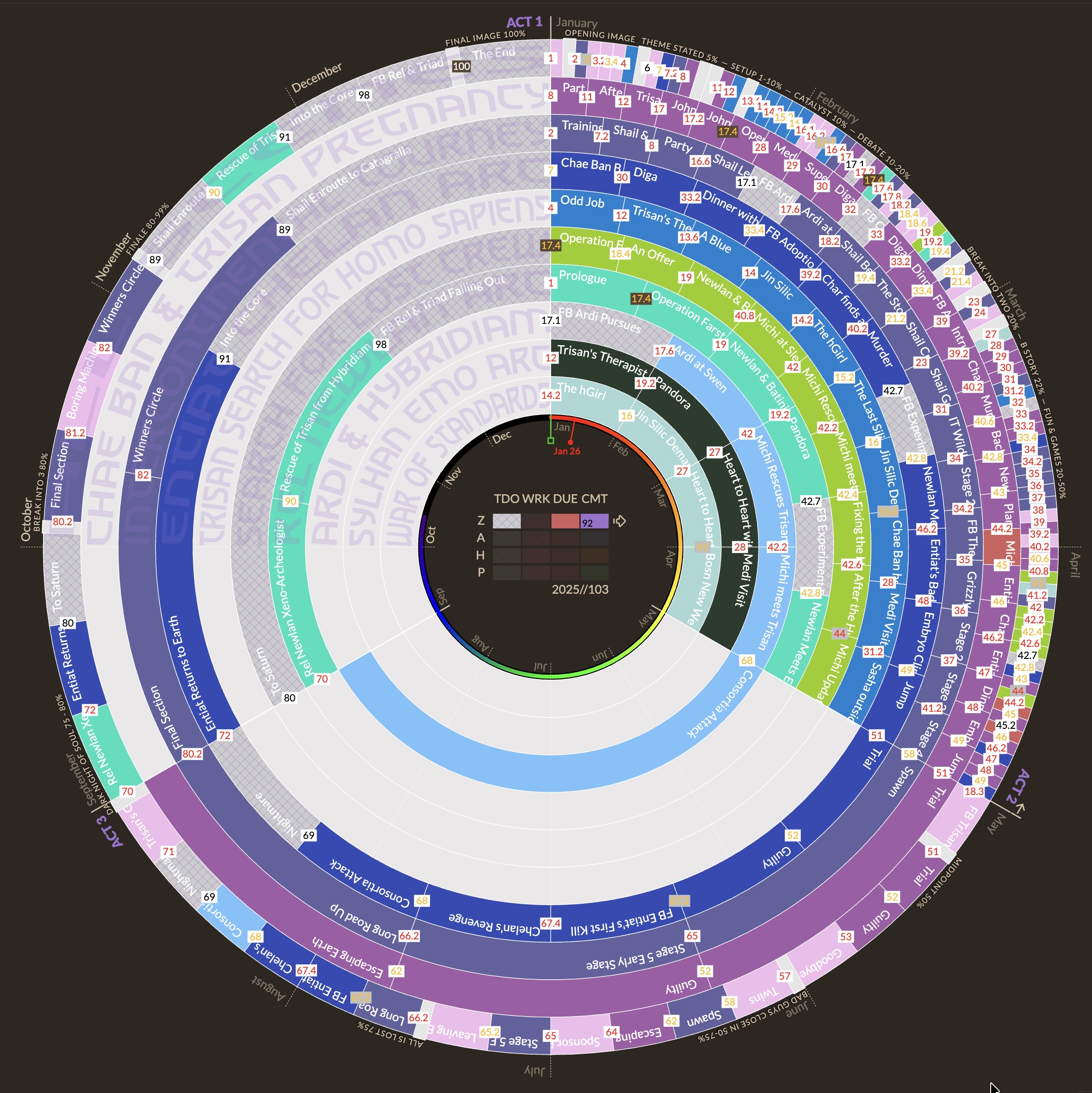 Narrative Mode — story beats + subplot rings (dominant subplot shown via folded corners) |
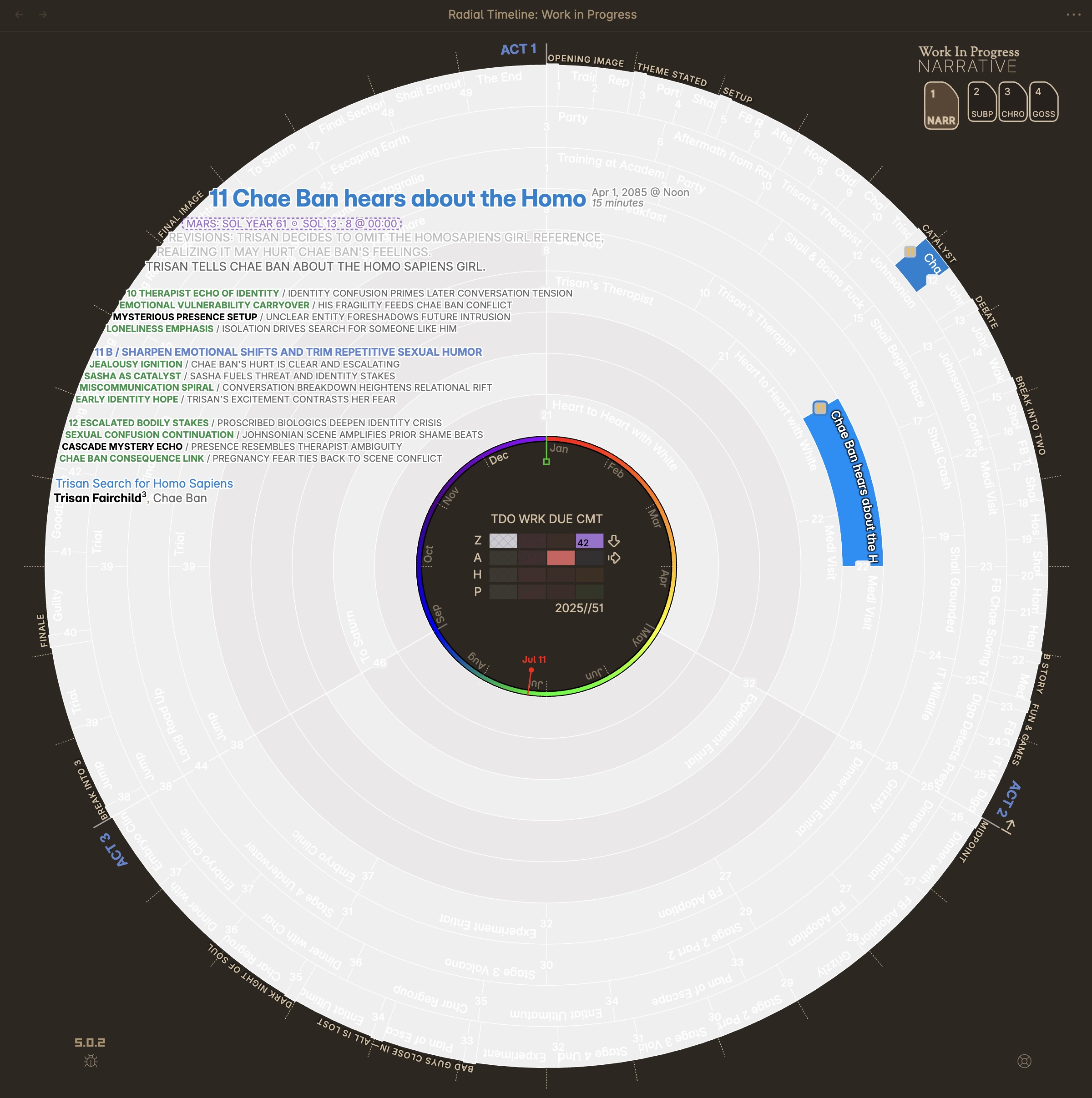 Hover synopsis — information-dense metadata + pulse triplet feedback |
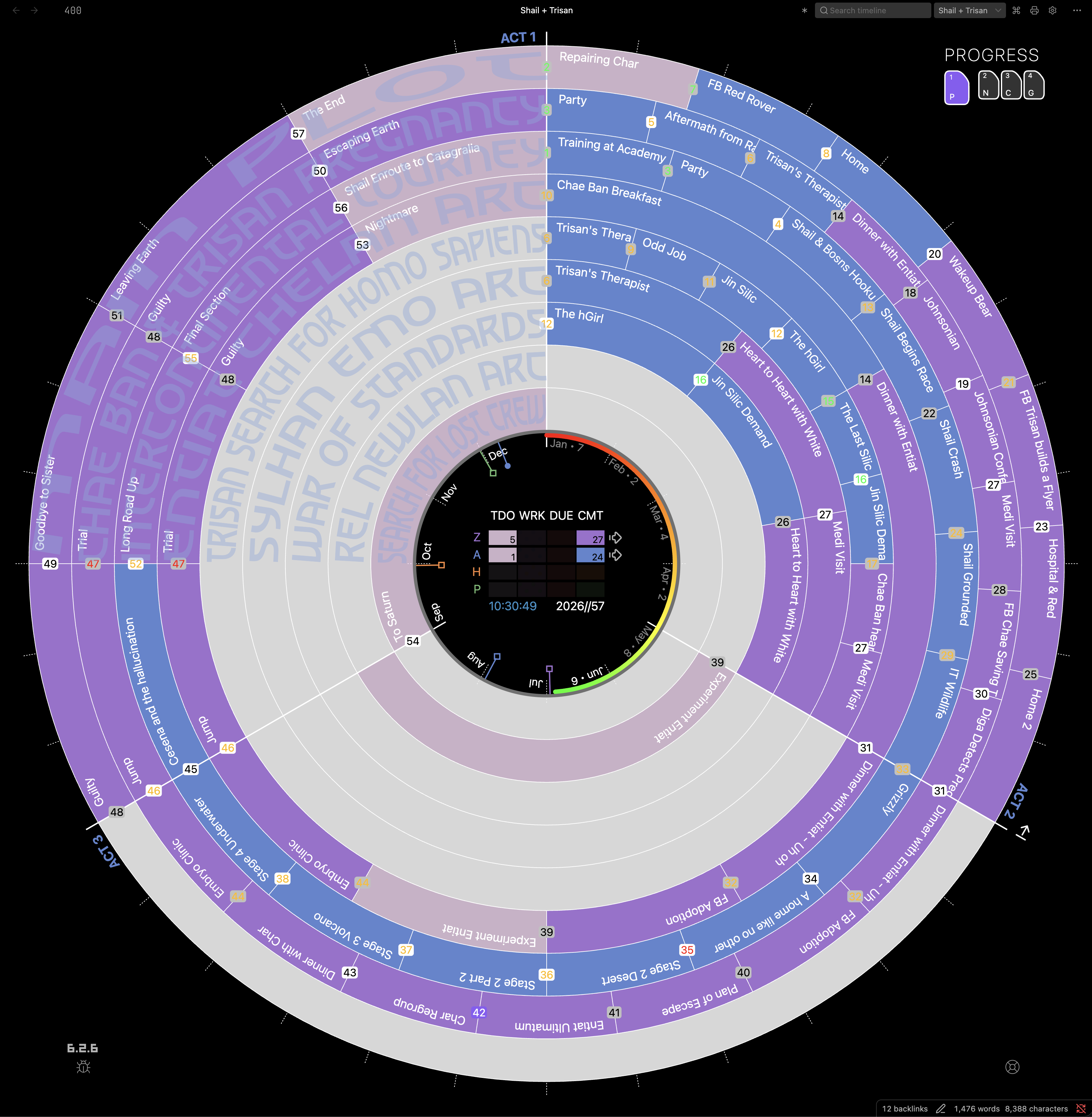 Progress Mode — schedule/status + progress stage view |
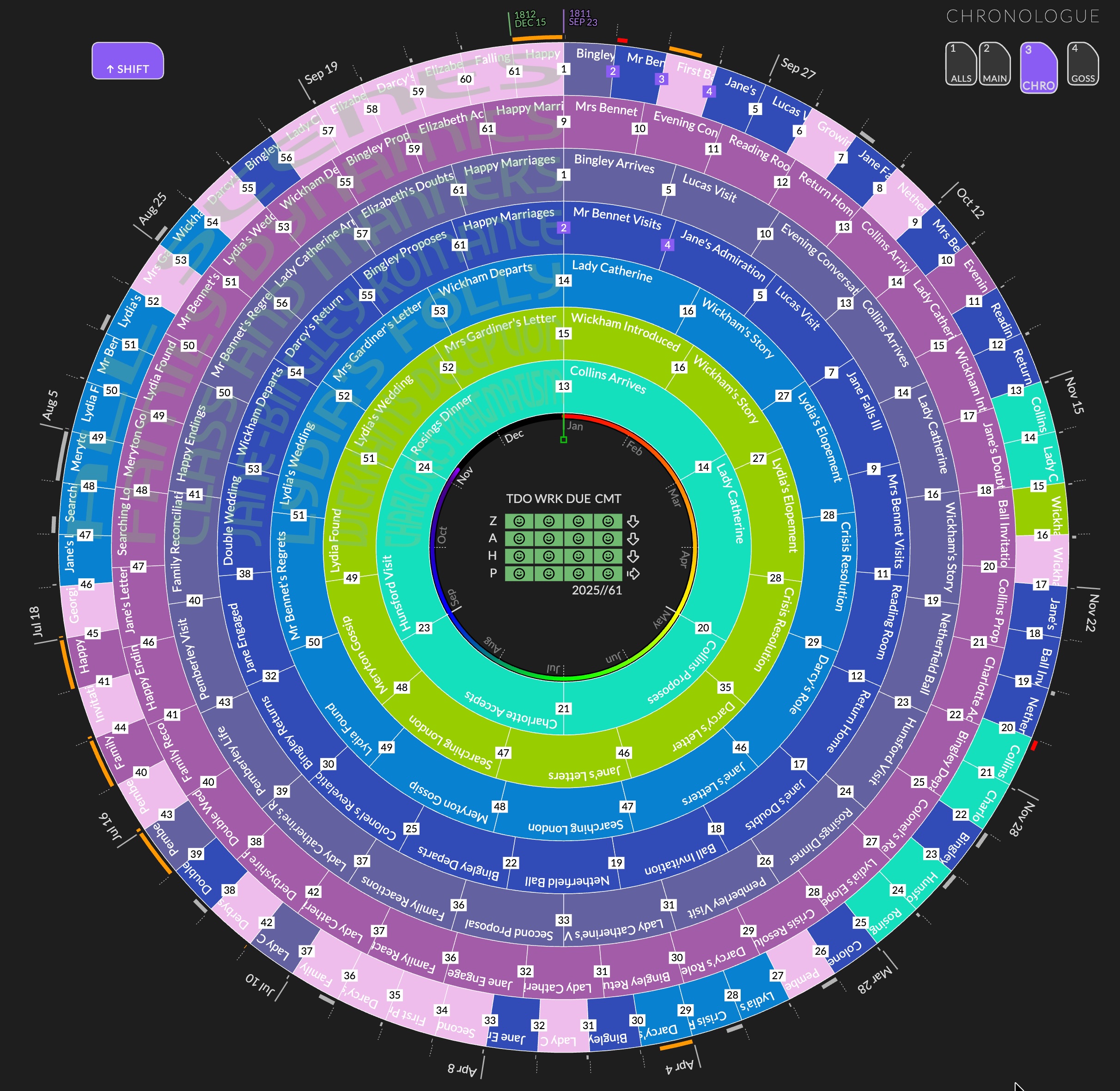 Chronologue Mode — story chronology with duration arcs and overlaps plus adaptive time scale |
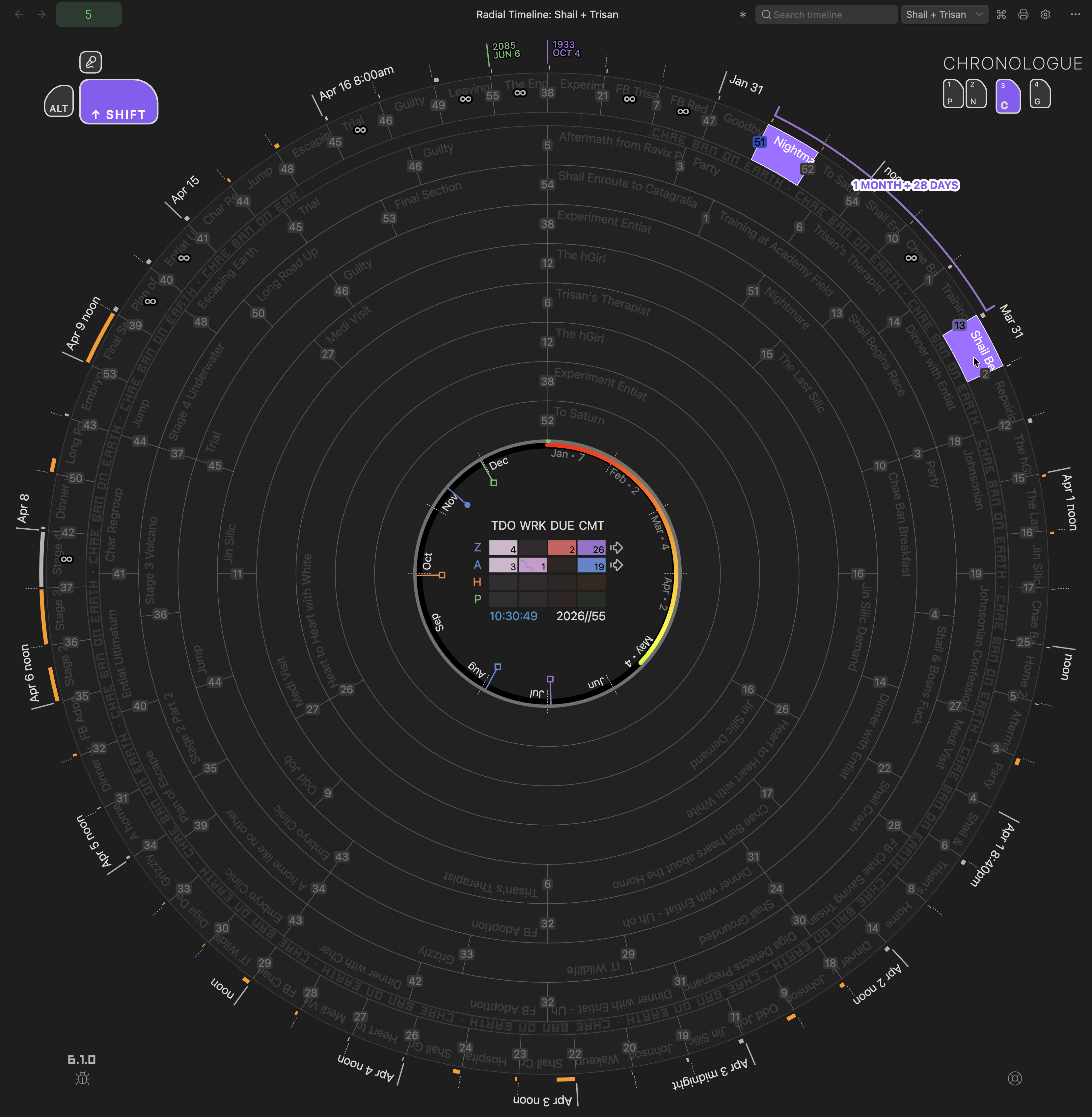 Chronologue Shift — compare elapsed time between scenes and surface discontinuity gaps |
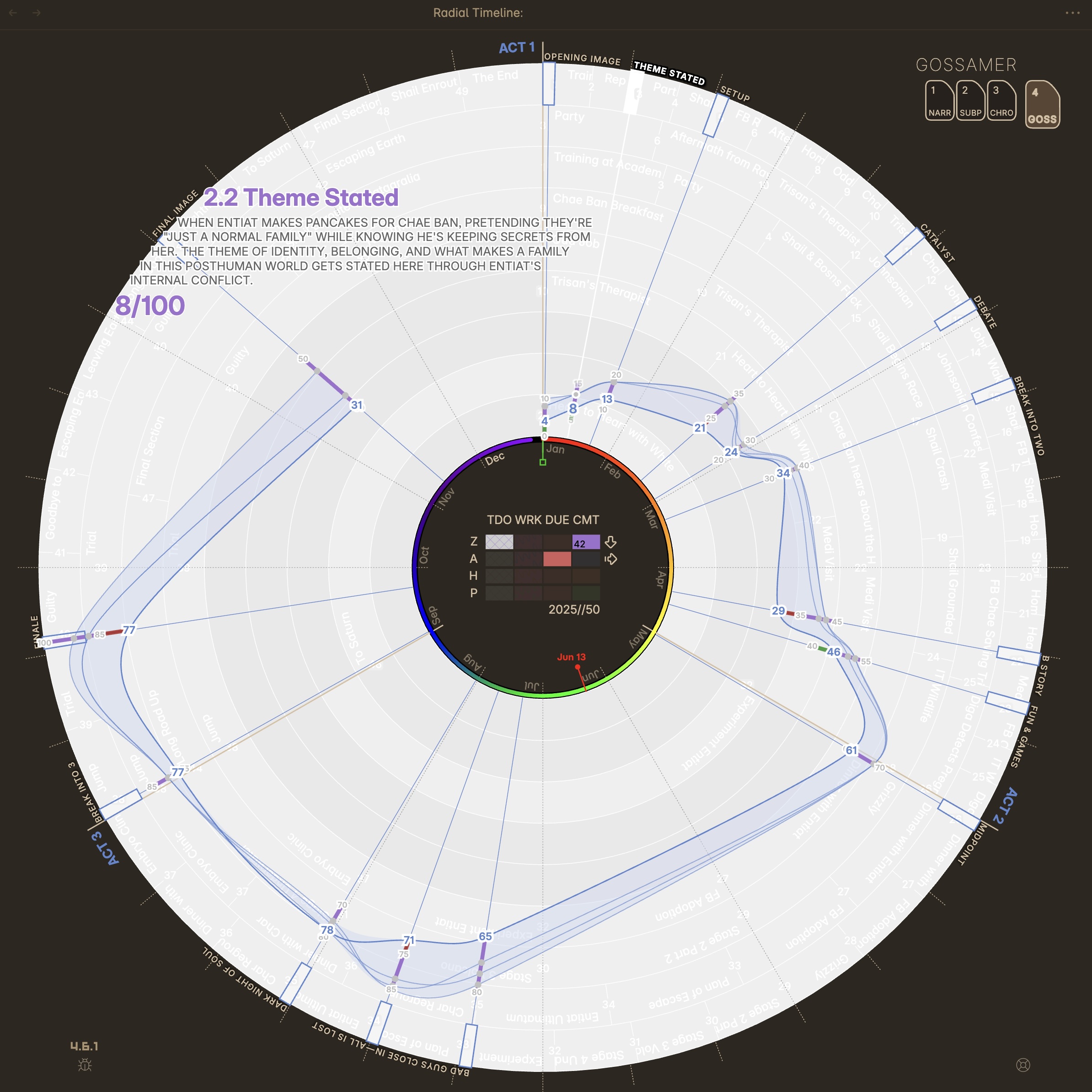 Gossamer Mode — compare Momentum, Tension, Activity, and Interiority across beats |
Getting Started
Section titled “Getting Started”- Getting Started — fresh vault setup, existing vault setup, migrating from Scrivener, and the core workflow.
- Book Designer — instantly generate a manuscript set with acts, subplots, and beats.
- Story Vaults — explore Pride & Prejudice, The Odyssey, and Sherlock Holmes, fully analyzed, with no API key needed.
- Radial Timeline View — the four modes at a glance: Progress, Narrative, Chronologue, Gossamer.
- Community and Desk Lamps — share your progress with other writers, and see when your writing friends are at their desks.
- How to — task recipes for reordering scenes, managing subplots, and search.
Headings set in Kalice, Claude Type, designed by Margot Lévêque.