
Gossamer Mode
Gossamer Mode visualizes beat-level scoring across your active story beat system. Each saved scoring pass draws a trace — a line connecting your beat scores around the timeline. It supports four signals — Momentum, Tension, Activity, and Interiority — to compare story movement, pressure, visible action, and inner experience.
- Four signals: Score Momentum, Tension, Activity, or Interiority against the same beat system.
- Trace history: Compare saved traces across up to 30 slots per beat to track how the shape changes over time.
- Top-left traces panel: Switch signals, show LATEST or all traces, and toggle individual saved traces on or off.
- Ideal Range: Beat
Rangevalues provide a visual target for Momentum only. They are not sent to the AI. - Manual score entry: Enter scores for the current signal yourself, with or without external AI assistance.
- Justification capture: Each score line records a brief justification so you know what the score was based on.
- Normalize & repair: Use Normalize history inside the score manager panel to compact gaps and repair orphaned entries.
Timeline mode: Gossamer (key 4)
Command: Gossamer score manager
Settings: Story beats system
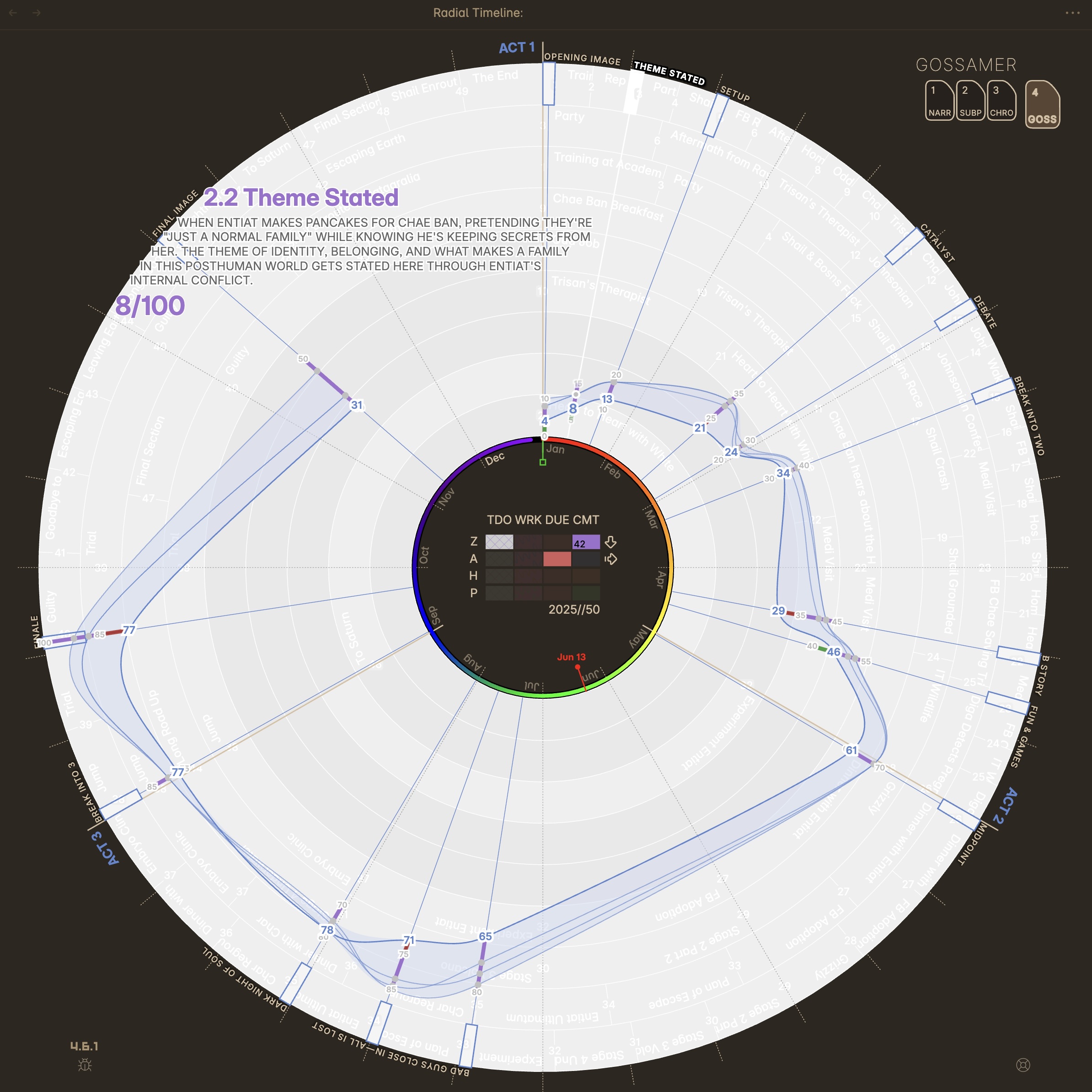
Gossamer — saved traces, signal switching, and beat-level scoring
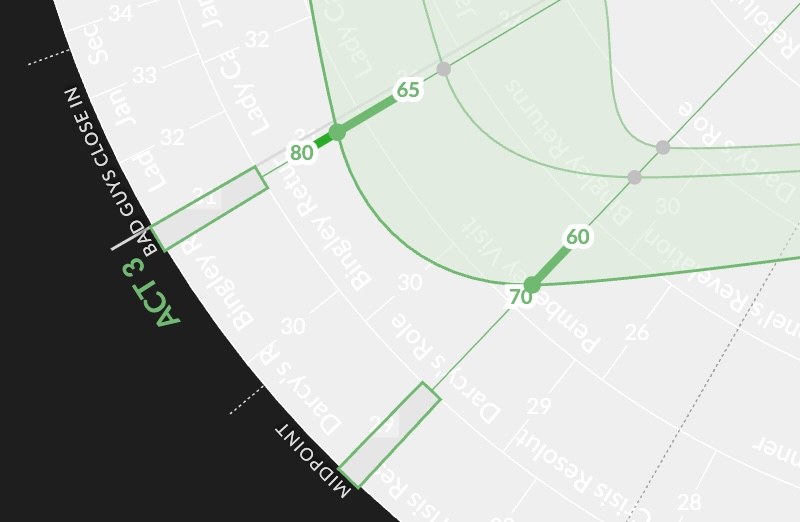 Ideal ranges for story beats |
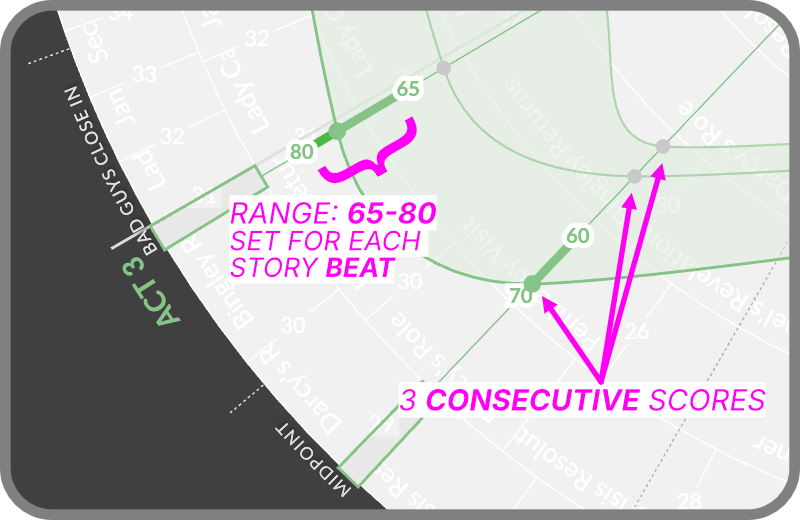 Callouts showing score details |
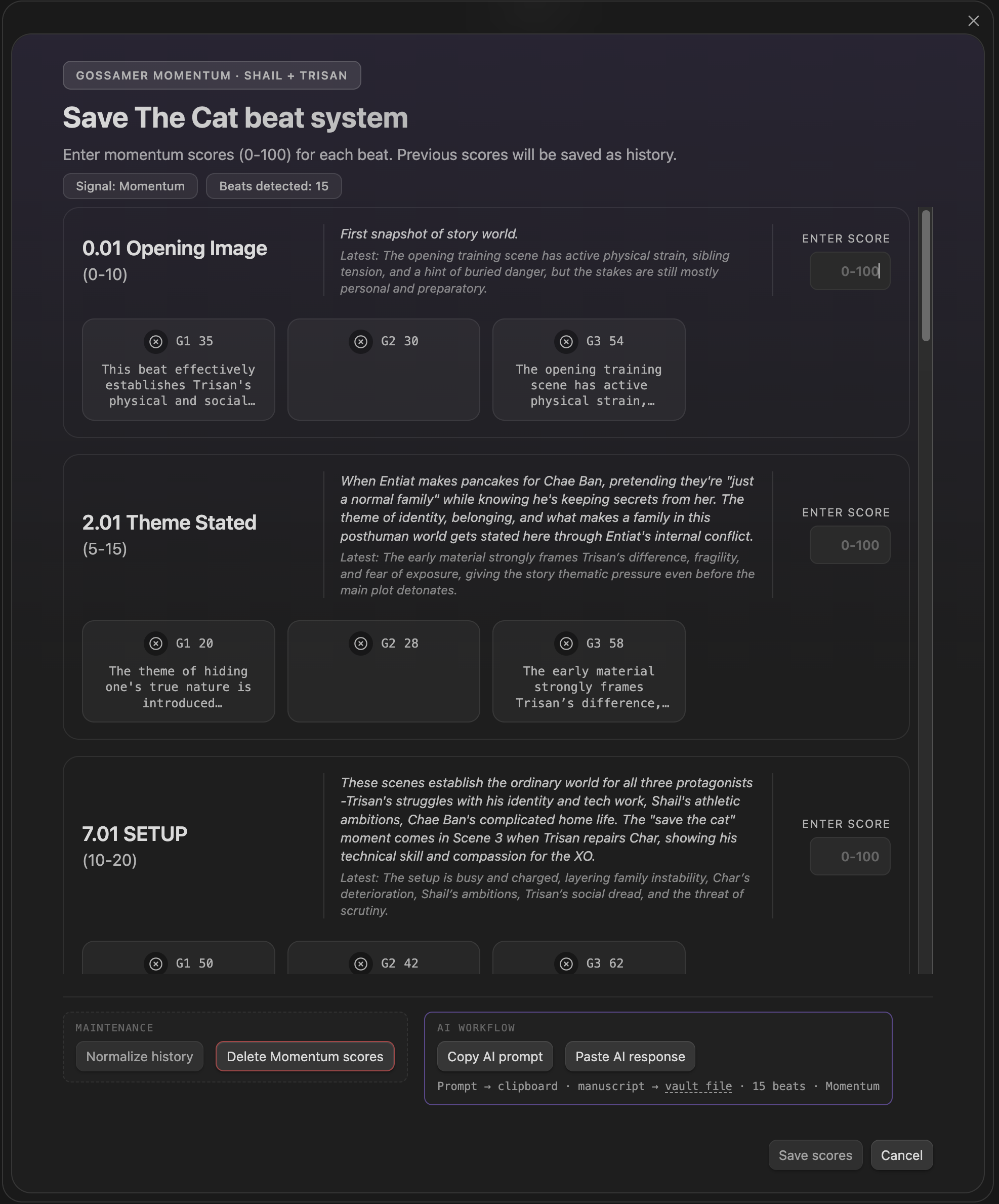
Gossamer score manager — manual entry for the active signal
Subplot Alignment
Section titled “Subplot Alignment”The alignment chip at the left of the mode row switches subplot rings between Fill (scenes spread evenly across each act) and Sequence (every scene sits at its true position in the full manuscript, with empty cells where a thread is dormant). See Subplot Alignment in Narrative Mode — the same control applies here.
Signals
Section titled “Signals”- Momentum: How strongly the story pulls the reader toward what happens next.
- Tension: How much unresolved pressure, uncertainty, or conflict the reader carries forward.
- Activity: How much is physically or visibly happening on the page.
- Interiority: How intense the character’s inner experience is on the page.
Manual Entry
Section titled “Manual Entry”Use Gossamer score manager to enter your scores and justifications for the active signal, or paste scores prepared with an external AI tool.
AI Analysis
Section titled “AI Analysis”Use Gossamer analysis to run the built-in AI evaluation for the active signal. AI scores the supplied manuscript material independently of your visual Momentum ranges.
Story Beats Configuration
Section titled “Story Beats Configuration”Gossamer scores the beats of the active beat system. Choose a built-in system or build your own, then create, audit, and repair its beat notes in Settings → Core → Story beats system.
Headings set in Kalice, Claude Type, designed by Margot Lévêque.